Export event documents and packs
When to use this
Use this guide when you need the paperwork itself: the invoice list across all events, a PDF of a single document, or a bundle of everything an event produced.
The Documents page
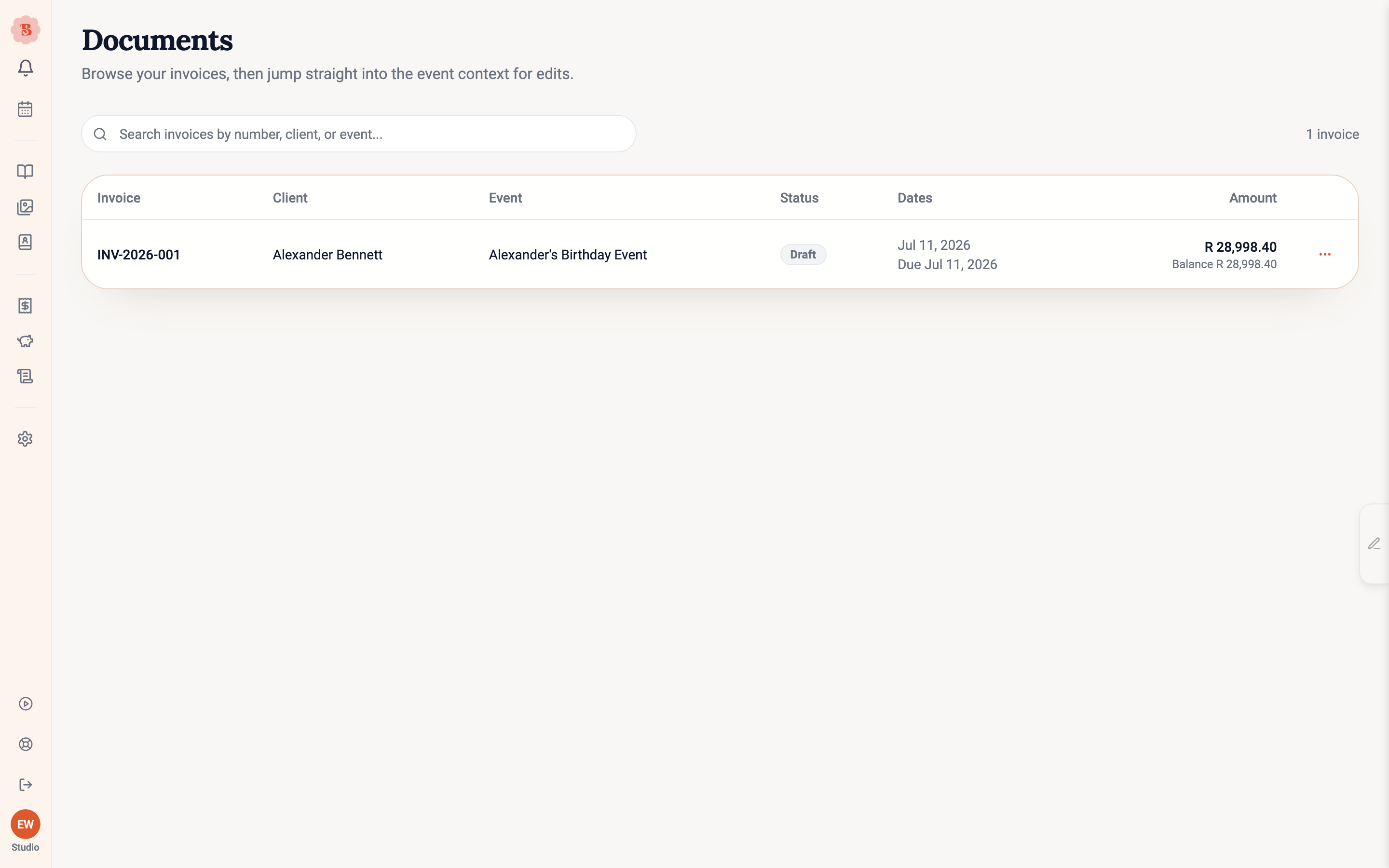
Invoices in the navigation opens the Documents page: every invoice across your events in one searchable table. Search by number, client, or event. Each row’s actions match its status: drafts offer Finalize, sent invoices show Awaiting payment and offer the PDF, and so on. On a phone the table becomes cards.
Download a sent proposal’s PDF
Once a proposal has been sent, you can download its PDF directly — no export pack needed. On the event’s proposal view, open the … menu in the top right and choose Download PDF. The file saves straight to your downloads, named after the event, so it is ready to print or attach to an email as-is.
- On a sent proposal you get the exact document your client received.
- Once the client has accepted, the same action downloads the signed version instead.
Export packs
For a whole event’s paperwork, use Export pack. It is available from the proposal toolbar menu, the Production view, and the Finances view, each preselecting the preset you most likely want:
- Finances pack gathers the money paperwork: invoices and the financial summaries.
- Full event pack adds the operational documents: supplier order sheets, the consolidated order list, recipe sheets, and the week-of set (run sheet, team assignments, checklists, contacts and venue).
Files you add on the event’s Week-of view, such as venue maps and floorplans, go in the week-of set after its documents, listed as Attached files. When the event has no files, the pack simply leaves them out. In a single combined PDF, each PDF adds its own pages and each image gets a page of its own; a ZIP keeps the original files. See Plan the week of the event.
Supplier order sheets are built from your current supplier assignments when the pack is generated: every supplier with assigned items gets an order sheet showing the latest items and quantities, whether or not you have opened that supplier’s order before. You do not need to generate each supplier’s PDF first. Orders you have already marked as sent stay exactly as you sent them.
The consolidated order list is a single page that totals every ingredient across all of those order sheets — the list you take to the flower market or use to sanity-check quantities before sending orders. It is a simple table: one line per supplier order, grouped by ingredient, with the quantity each supplier is delivering in the units they sell (bunches, with the pack size shown) and the ingredient’s total in usage units such as stems — so the page always matches the order sheets behind it. Substitutes appear as their own line with a note about what they replace, and a footer tells you if any items are not yet assigned to a supplier.
Step-by-step walkthrough
Pick what goes in
The drawer lists each document group with what it can actually produce. The summary line tells you exactly what the pack will contain, with counts, and warns you when something has no source data yet, such as supplier order sheets before any items are assigned.
On a phone, the list is folded under Customize contents. The line above it still says what the pack holds.
Choose the format
Generate one combined PDF, or a ZIP with each document as its own file. ZIP packs include a plain-English readme listing what is inside and why anything was left out.
Generate and download
Generation runs through its stages with live progress per document. When it is ready, download and check the artifacts; anything skipped is named with its reason. The file name is the event name and then the pack. For example, a Week-of pack PDF ends in week-of-pack.pdf.
On a phone, when the pack is ready, the button at the bottom of the drawer names the file type: Download PDF or Download ZIP. A line above it shows the size and anything that failed or was skipped.
Re-download from Recent exports
Completed packs stay under Recent exports in the drawer, so you can re-download one later without generating it again. On a phone, tap a row in Recent exports to download it.
You can also ask the assistant to make a pack, for example “make the production pack for the Hart wedding”. It tells you when the pack is ready; download it from Export pack, under Recent exports. The assistant never sends a pack to anyone.
Export packs pull from what the event already has. If the pack warns about missing invoices or unassigned suppliers, create those first and the next pack will include them.